Put any face on a meme
Tap a famous face or upload your own, pick a meme, and the AI swaps it in — matched to the expression, lighting, and angle. Free daily swaps, no card needed.
91+ templates pre-tested with the AI — you only see the ones that work.

Choose a face
Pick a meme
Every template here is pre-tested with the AI. Hover a meme (or tap the eye) to see an example swap.
Pick a face and a meme to start.
1 credit per swap, charged only when it works · free daily credits, no card needed · free swaps carry a small watermark
See it on real memes
Template on the left, the AI’s swap on the right — every one made with this tool. Tap “Try it” to load the pair.
Taylor Swift as Disaster Girl
Nicolas Cage as Creepy Condescending Wonka
MrBeast as Oprah: You Get a Car
Cristiano Ronaldo as Success Kid
Ryan Gosling as Roll Safe Think About It
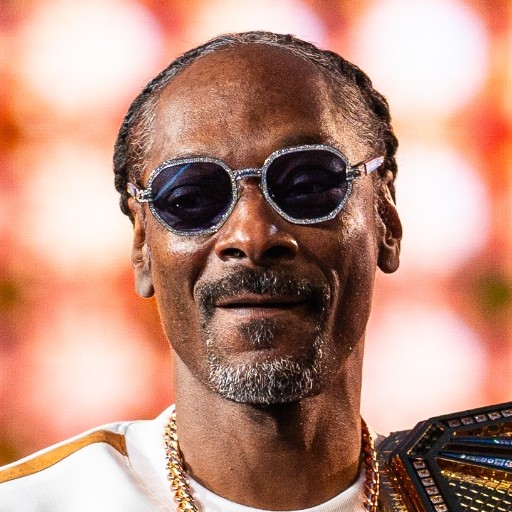
Snoop Dogg as Conspiracy Keanu
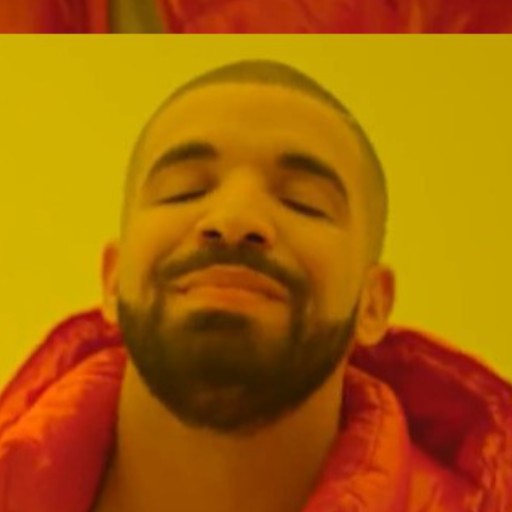
Drake as Roll Safe Think About It

Leo DiCaprio as Success Kid
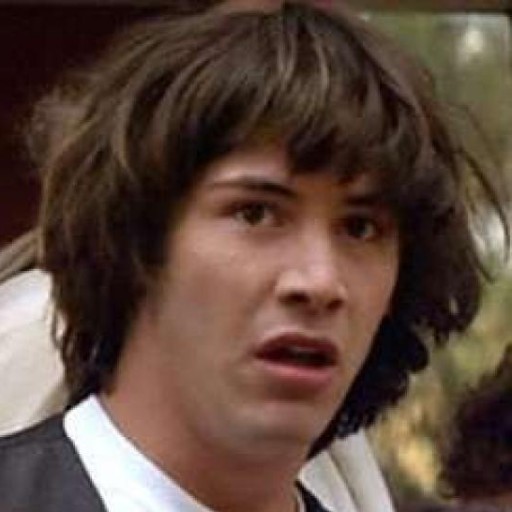
Keanu Reeves as Disaster Girl
How the free AI face swap works
Choose a face
Tap a famous face or upload your own photo and crop to the face — that square is all the AI needs.
Pick a swap-ready meme
Every template in the picker was test-swapped first. Hover one to preview the result before you commit.
Swap, download, caption
About ten seconds later it’s swapped and matched to the scene. Download it or add captions in the editor.
A free AI face swap built for memes
Most face swap tools stop at the swapped picture. This one starts with faces people already know and ends in a meme editor.
Famous faces, pre-loaded
Elon Musk, Taylor Swift, Drake, Leo, Keanu, The Rock and 40 more — one tap, no photo hunting.
Only templates that work
Every meme in the picker was test-swapped by the AI first, so you never burn a credit on a dud.
Free every day
Free swap credits drip in daily — no card required, and a swap only counts when it succeeds.
Straight into the meme editor
One click sends the swap to the editor for top/bottom captions, restyling, and an HD export.
Swap faces online for any occasion
The fastest way to make a meme personal is to be in it — or to put someone famous in it.
Group chat comebacks
Answer the chat with your friend’s face on Roll Safe. Ten seconds from screenshot to send.
Birthday roasts
Put the birthday person on Success Kid or Disaster Girl and time the drop for midnight.
Work & team memes
The sprint retro hits different when the hero of the incident is The Rock — and also your teammate.
Sports banter
Game-day trash talk with your buddy’s face on Crying Jordan — or on the celebration.
Profile pictures
Swap yourself into a classic meme for an avatar people actually remember.
Reaction images
Build a personal reaction folder — you, as every mood the internet has ever had.
FaceSwap AI questions
Is FaceSwap AI free?
Yes — sign in and you get free face swap credits every day, no card required. A swap only uses a credit when it succeeds, and downloading it is free; free swaps carry a small memebuilder.ai stamp in the corner. Pro and Max download every swap clean and add far more credits — or grab a one-time 7-day Swap Pass for unlimited clean swaps, no subscription.
Do I have to upload my own photo?
No. Pick one of the pre-loaded famous faces — Elon Musk, Taylor Swift, Drake, Leo, Keanu, The Rock, Obama and 40 more — and drop it onto any template. Or upload a photo of yourself, a friend, or a coworker and crop to the face.
Which meme templates can I put a face on?
Every template you see in the picker has been test-swapped by the AI, so each one is known to work. Multi-face and cartoon formats are left out on purpose — the model needs one real human face to replace. Hover any template to see an example result.
What photos work best for face swapping?
A clear, well-lit photo with the face turned toward the camera. Crop tight to the face in the crop step — sunglasses, heavy shadows, or extreme angles make the AI struggle.
Why do I need to sign in to swap?
Every swap runs on a paid deep-learning model, and sign-in keeps bots from draining the free pool. A free account takes a few seconds, needs no card, and your swap credits top up daily.
Can I face swap a video?
Not here — this tool swaps faces in photos and meme templates only. If you want moving memes, our AI meme video generator turns an idea into a short meme video instead.
Try the AI meme video generator →How does the face swap AI work?
A deep-learning face model finds the face in your source image and regenerates it onto the template, matching expression, lighting, and angle. It's the same family of tech behind deepfakes, used here for one thing: putting a face you chose onto a meme.
Is my photo stored or shared?
Cropping happens on your device, and only the small cropped square is sent to the AI to generate your swap — the full upload never leaves your browser. We never publish your photo or your result anywhere; the finished swap is yours to download or caption.
Can I add captions to my face-swapped meme?
Yes. One click sends your swapped image into the meme editor, where you add top/bottom text, restyle it, and export in HD.
Photo credits for the pre-loaded faces
- Elon Musk: Gage Skidmore, CC BY-SA 4.0 (cropped)
- Joe Biden: Adam Schultz, Public domain (cropped)
- Taylor Swift: iHeartRadioCA, CC BY 3.0 (cropped)
- Cristiano Ronaldo: Bryan Berlin, CC BY-SA 4.0 (cropped)
- Lionel Messi: Bryan Berlin, CC BY-SA 4.0 (cropped)
- LeBron James: Erik Drost, CC BY 2.0 (cropped)
- Ryan Gosling: Raph_PH, CC BY 2.0 (cropped)
- Nicolas Cage: Georges Biard, CC BY-SA 3.0 (cropped)
- Will Smith: TechCrunch, CC BY 2.0 (cropped)
- Tom Cruise: Kevin Paul, CC BY 4.0 (cropped)
- MrBeast: Tyren Redd, CC BY 4.0 (cropped)
- Jeff Bezos: SECWAR, Public domain (cropped)
- Bill Gates: Bogdan Hoyaux / European Union, CC BY 4.0 (cropped)
- Mark Zuckerberg: The White House, Public domain (cropped)
- Kanye West: David Shankbone, Public domain (cropped)
- Snoop Dogg: Diego Serrano, CC BY 2.0 (cropped)
- Bryan Cranston: PhilipRomano, CC BY-SA 4.0 (cropped)
- Pedro Pascal: Gabriel Hutchinson, CC BY-SA 4.0 (cropped)
- Zendaya: Wikimedia Commons (cropped)
- Kim Kardashian: Eva Rinaldi, CC BY-SA 2.0 (cropped)
- Gordon Ramsay: Dave Pullig, CC BY 2.0 (cropped)
- Morgan Freeman: U.S. Secretary of Defense, Public domain (cropped)
- Arnold: Bernhard Holub, CC BY-SA 4.0 (cropped)
- Jack Black: Raph_PH, CC BY 2.0 (cropped)
- Danny DeVito: Gage Skidmore [CC BY-SA 3.0 (https://creativecommons.org/licenses/by-sa/3.0)], via Wikimedia Commons, CC BY-SA 3.0 (cropped)
- Robert Downey Jr.: PhilipRomano, CC BY-SA 4.0 (cropped)
- Beyoncé: Raph_PH, CC BY 2.0 (cropped)
- Rihanna: SIGMA, CC BY 3.0 (cropped)
- Kevin Hart: Eva Rinaldi, CC BY-SA 2.0 (cropped)
- Shaq: TechCrunch, CC BY 2.0 (cropped)
- Sam Altman: 首相官邸ホームページ / Office of the Prime Minister of Japan Official Website, CC BY 4.0 (cropped)
- Jensen Huang: The White House, Public domain (cropped)
Any face. Any meme. In seconds.
Free daily swaps, no card required — and the result drops straight into the meme editor.